🧭 Preflight Discovery • Smarter Listing Decisions

Know what will work on eBay — before you list it.

Preflight Discovery helps you evaluate products and listings before you commit time or inventory. Decide what to list, how to list it, and what to improve — with confidence.

✓ No credit card required ✓ Secure eBay OAuth ✓ Cancel anytime

Most listing mistakes happen before a listing goes live

Sellers often invest time creating listings only to realize later that something fundamental was off. Preflight catches those issues early.

Wrong category or structure

Small classification mistakes can limit visibility from day one.

Missing or weak item specifics

Incomplete data makes listings harder to surface and filter.

Unclear positioning

Listings that don’t clearly communicate value struggle to convert.

Time wasted fixing later

Reworking listings after they go live costs momentum and visibility.

Two ways to use Preflight
Discovery helps you decide what to list. Optimize helps you decide what to change.

Whether you’re considering a new product or improving an existing listing, Preflight adapts to the decision you’re making.

Discovery Mode

Evaluate new products before you list them.

Discovery Mode helps you understand how a product should be presented on eBay before you create a listing. It surfaces suggested structure, attributes, and a clean starting point — with clear confidence indicators.
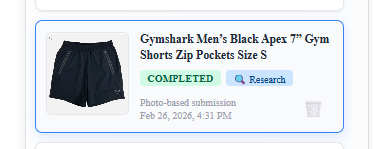
Discovery Mode Request Card

Step 1: Submit a photo-based discovery request.
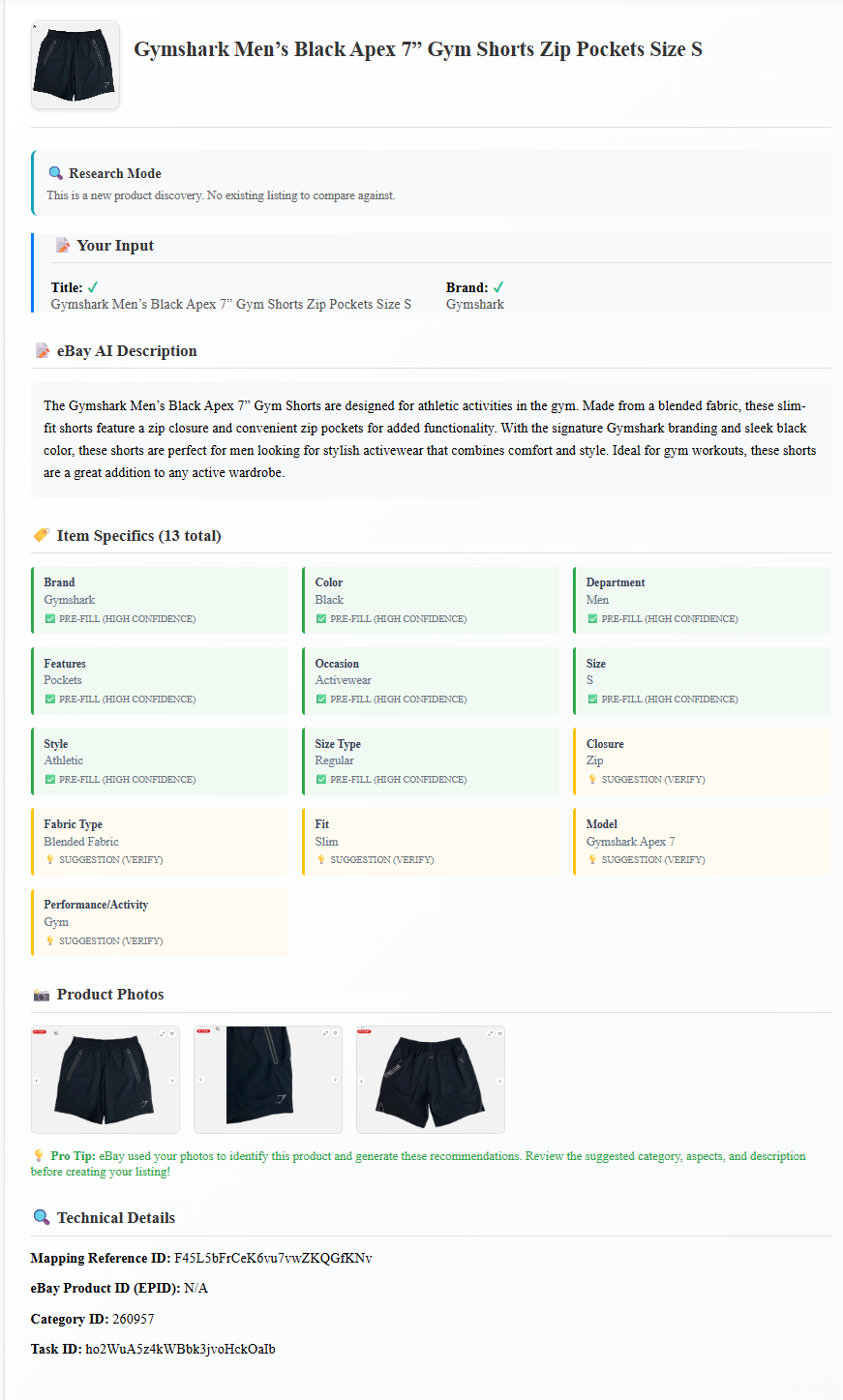
Discovery Mode Results

Step 2: Review eBay-ready suggestions with clear confidence labels.

Optimize Mode

Improve listings you already have — without starting over.

If Discovery helps you decide what to list, Optimize helps you refine and improve listings that already exist.

Optimize Mode provides a qualitative improvement guide for active listings. Instead of just scoring, it explains what’s working, what’s limiting performance, and what’s worth changing now versus later.
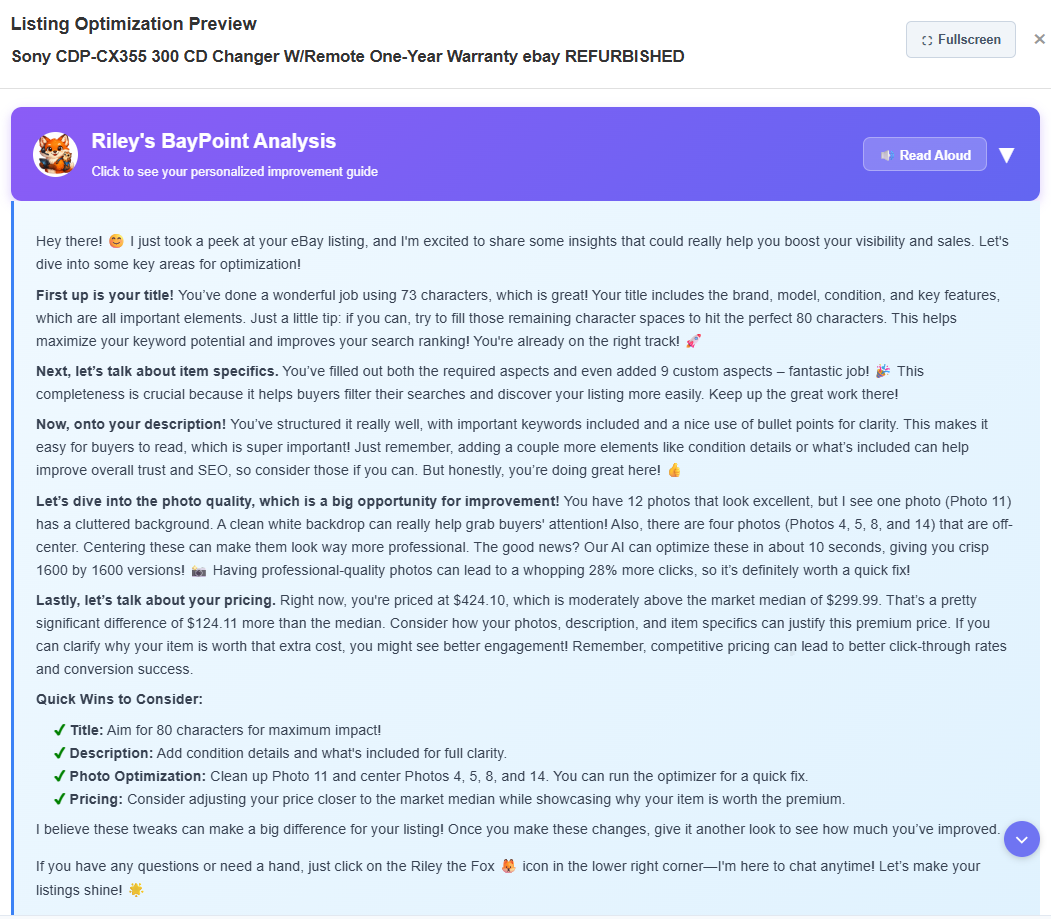
Optimize Mode qualitative improvement guide

Optimize provides clear, prioritized guidance — without requiring you to read every detail.

Guidance you can actually understand

Preflight doesn’t just flag issues — it explains them.

Riley walks through your listing or product like an experienced seller would: highlighting strengths, calling out risks, and explaining trade‑offs in plain language.

From insight to action — without re‑listing

When you’re ready, apply changes directly through Baypoint.

Update titles, descriptions, item specifics, and photos — then push changes live without copy‑paste or rebuilding listings.

Make smarter listing decisions upfront

Run a Preflight check and list with confidence.

✓ No credit card ✓ Full access ✓ Cancel anytime